2026 in Twiceme SMP: the year compliance got easier to see
At the start of the year, most teams used Twiceme to keep track of their PPE and certificates: which helmet belonged to whom, and when it was last inspected. That was the foundation. Over the past six months it has grown into something bigger: a single place to manage compliance across your whole crew.
PROFESSIONAL
This is the short version of everything that landed in SMP in 2026 so far, written for the people who live in it every day: safety managers and EHS leads. We've grouped it by what it actually helps you do, and at the end there's an honest look at where we're headed next.
If you'd rather just see it, open your dashboard; everything below is already in there.
1. Compliance tracking: see who's missing what
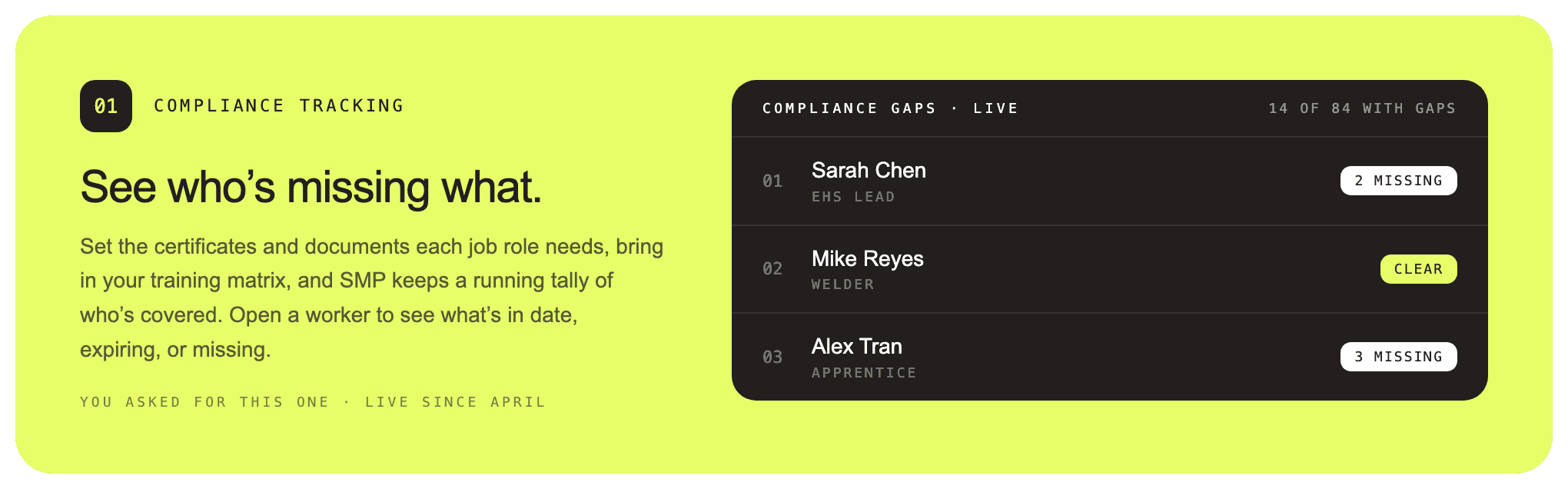
This was the biggest shift of the year. You set the certificates and documents each job role needs, and Twiceme keeps a live read on who's covered and who isn't.
Roles and requirements. Set up your job roles once and attach the documents and certificates each one needs.
Import your training matrix. Bring your existing spreadsheet straight in (CSV or XLSX) instead of rebuilding it by hand.
A live gap view. Open a worker and one screen tells you what's in date, what's expiring, and what's missing, without cross-referencing tabs.
A dedicated compliance area. Workers and their certificates are grouped together under documents, so an audit question takes a query, not an afternoon.
This one came directly out of customer requests, and it's been live since April.
Why it matters: when an auditor or a general contractor asks "is this crew qualified for this work?", the answer is now one screen, not a folder of PDFs and a spreadsheet you hope is current.
2. Inspections, on one dashboard
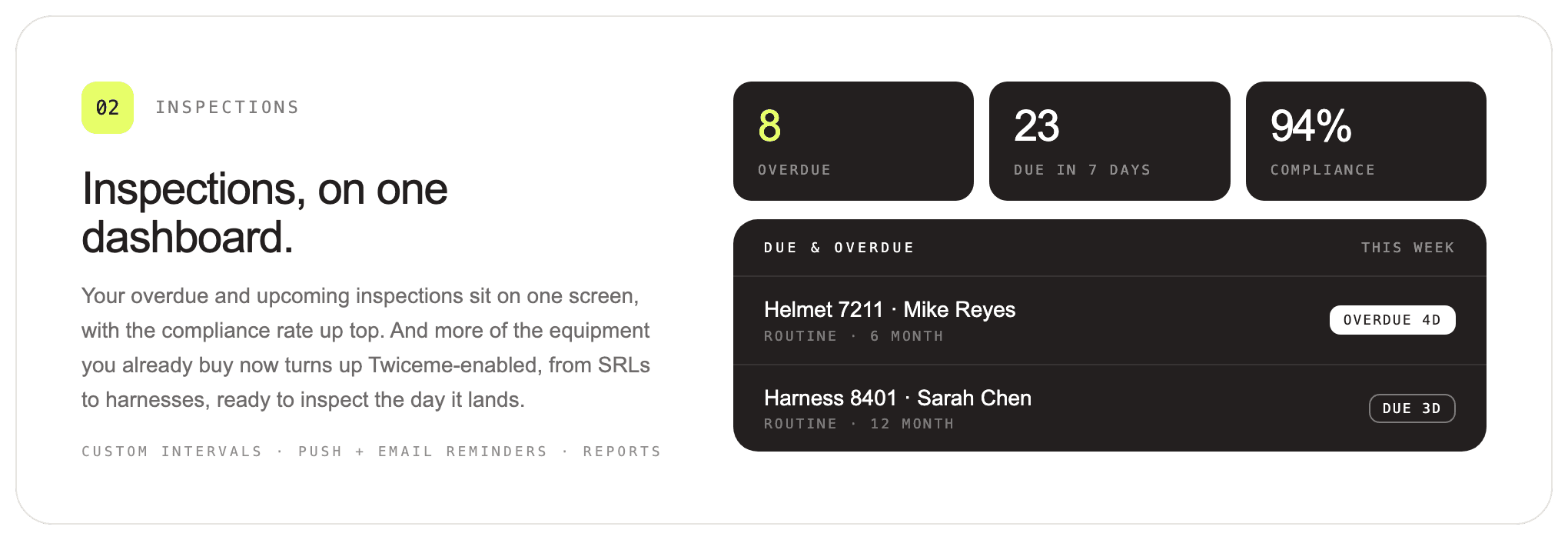
Inspections grew into a real workflow this year, from assigning them to proving they were done.
One dashboard. Overdue, upcoming and completed inspections on a single screen, with your compliance rate on top.
Custom intervals. Set the inspection interval per equipment category once; due dates recalculate and the mobile app follows.
Reminders that chase the right person. Push and email reminders go out automatically as inspections come due, so nothing lapses unnoticed. You can also schedule an annual reminder or trigger one on demand.
Downloadable reports. Export any inspection as a report for your records or to hand to a client, including a colorblind-friendly format.
More templates. New inspection templates, including NFPA 1850, PAPR and SRL.
Now built into more of your equipment. You'll find Twiceme-enabled SRLs, harnesses and more on the market, straight from the manufacturers, inspection-ready the moment they arrive on site.
Why it matters: overdue gear used to be something you had to go looking for. Now Twiceme surfaces it and nudges the right worker before it becomes a finding.
3. Observations: your crew sees what you can't
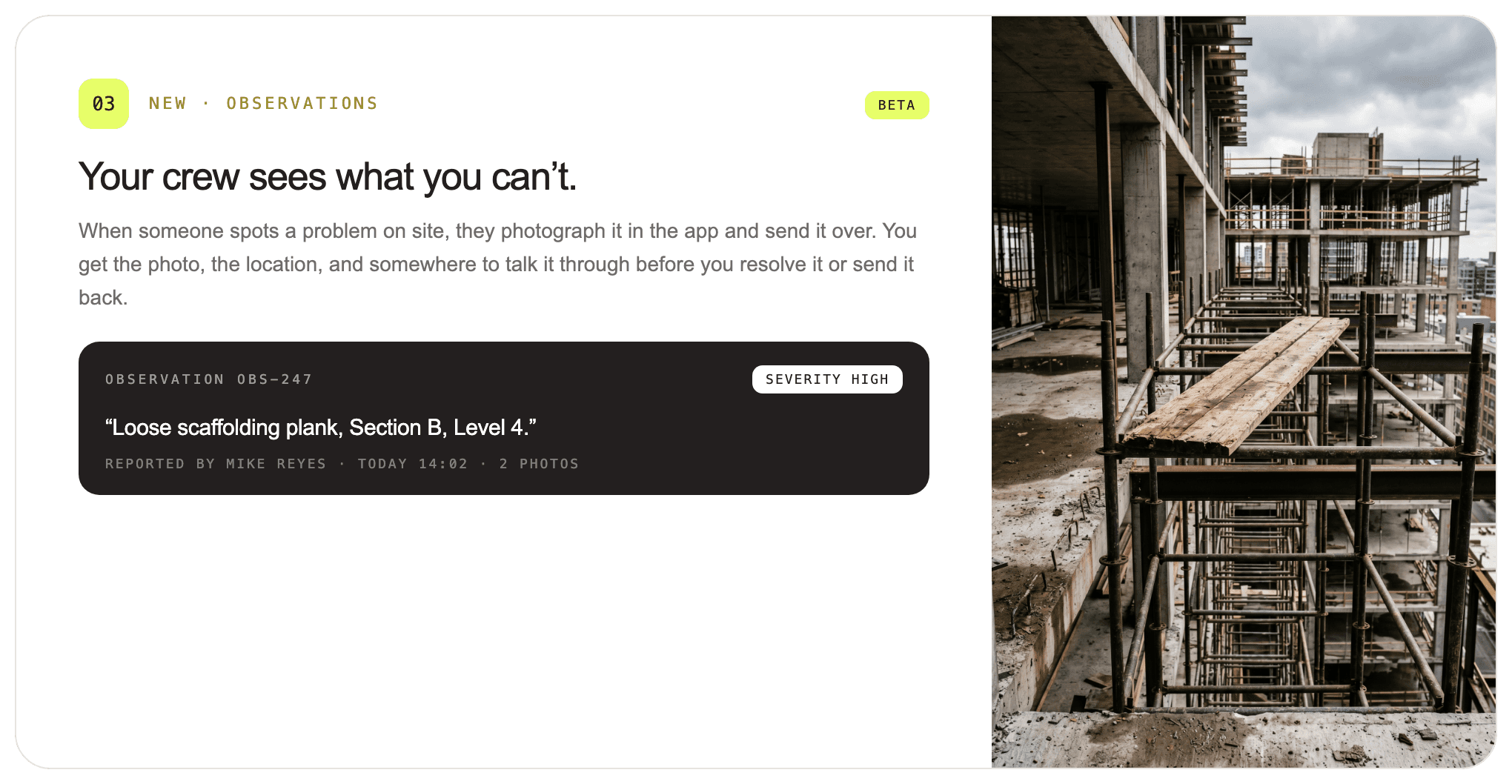
A brand-new capability, currently in beta. Field crews can now report a hazard from the mobile app, and it lands in SMP for you to act on.
A worker photographs a hazard, adds a severity and a short note, and submits.
It arrives in SMP with a location, a severity and a comment thread.
You resolve it or send it back, and the full trail stays attached.
It closes a loop that used to live in text messages and word of mouth. If you'd like it switched on for your workspace, just reply.
4. Retrofittable inspection tags: track anything on site (early beta)
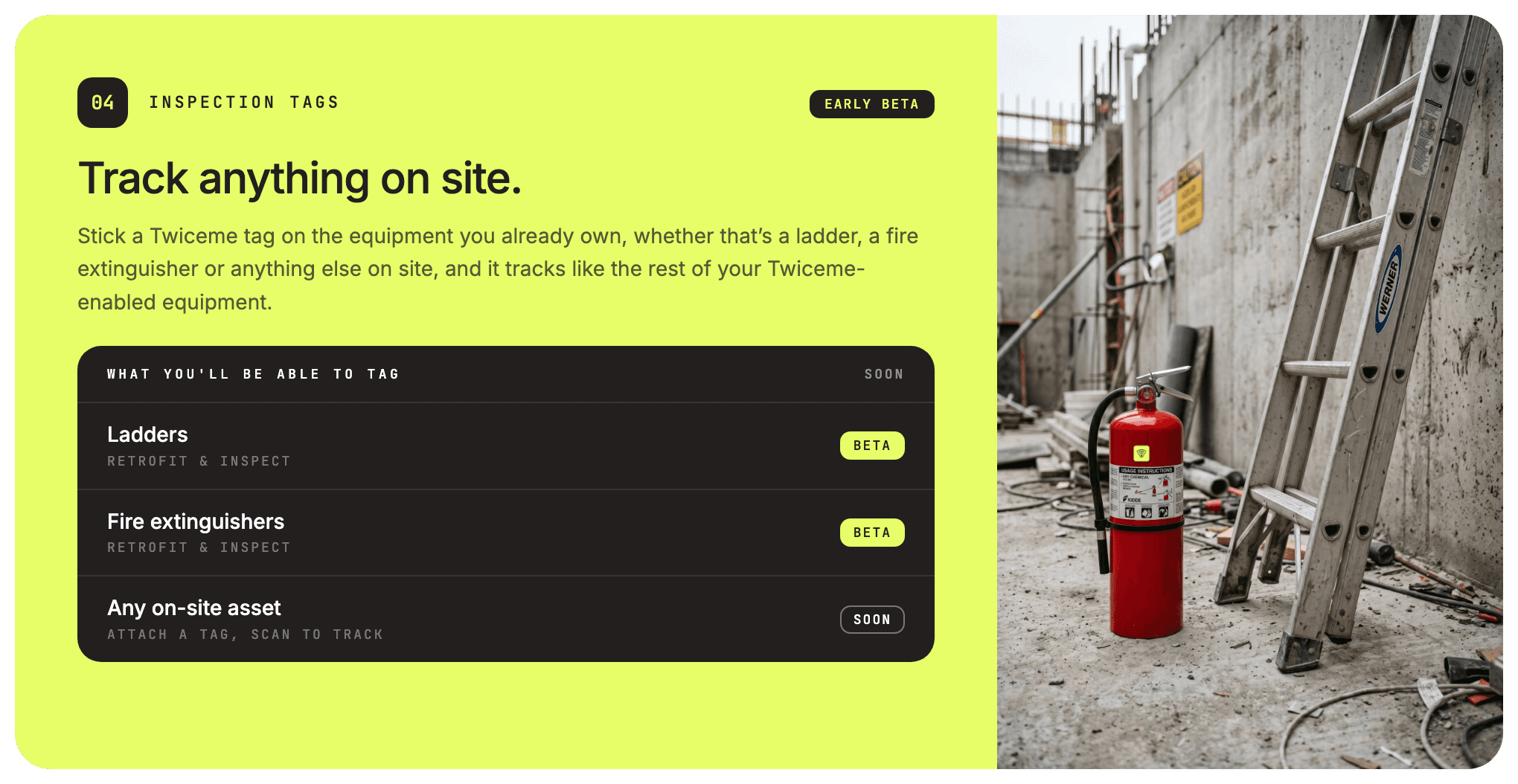
This is one of the biggest things we've built, and it's nearly here. It's in staging now, with early beta close behind.
New retrofittable Twiceme NFC inspection tags attach to the equipment you already own, from a ladder to a fire extinguisher to whatever else is on site. Scan a tagged asset to inspect it and track it like the rest of your Twiceme-enabled equipment, all from the same dashboard.
Retrofit what you already have. No need to replace gear; attach a tag and it's in the system.
Inspect by scan. The same inspection workflow you use for PPE now works for any tagged asset.
One source of truth. Ladders, extinguishers and the rest live alongside your PPE, not in a separate spreadsheet.
Why it matters: the goal is one system for every piece of equipment on site, instead of fifteen. This is the step that gets you there.
Want in on the early beta? Reply to the newsletter and we'll add you to the list.
5. Also this year
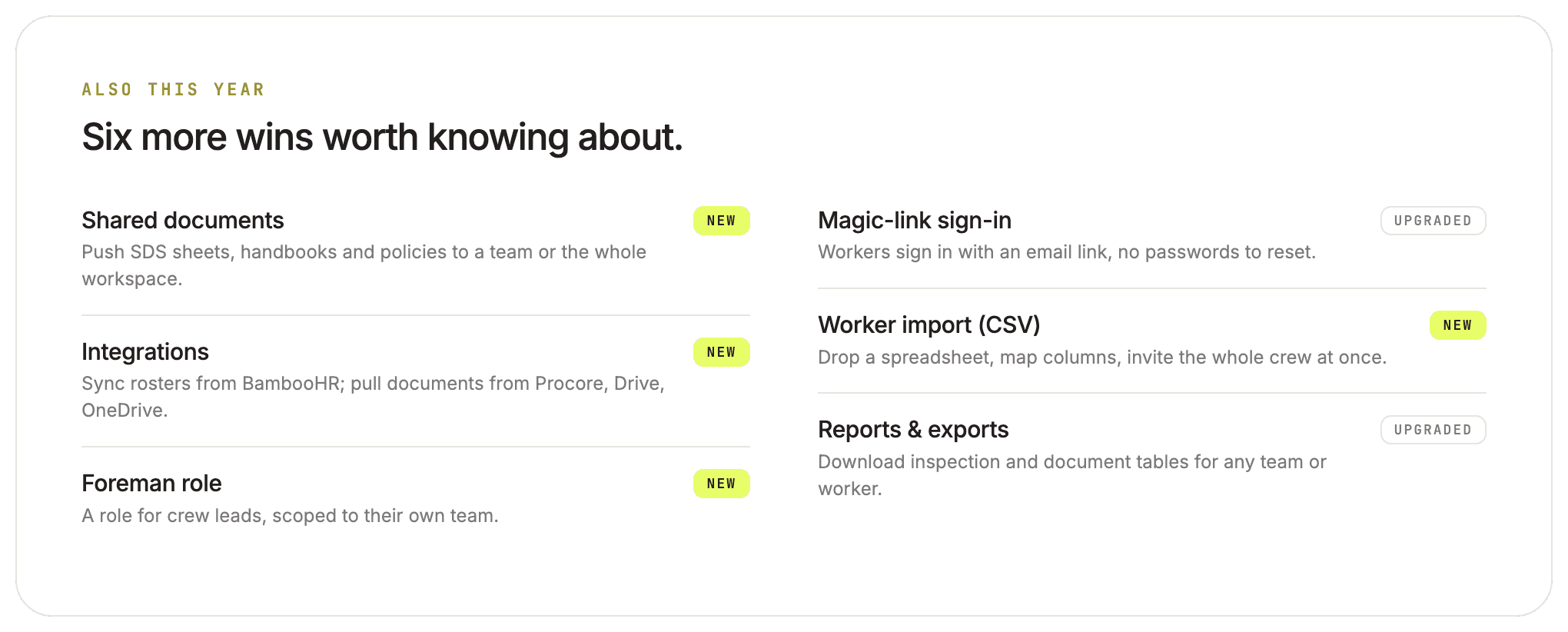
Six more launches worth knowing about:
Shared documents. Push SDS sheets, handbooks and policies to the whole workspace or to a single team. (No more hacking the certificate feature to share a document.)
Integrations. Sync your roster from BambooHR, and pull documents from Procore, Google Drive and OneDrive. The new integrations framework keeps each connection's keys encrypted per workspace.
The foreman role. A new role for crew leads, scoped to their own team, with the SMP controls they aren't authorized to use hidden.
Magic-link sign-in. Workers sign in with an email link. No passwords to set, forget or reset.
Worker import (CSV). Drop a spreadsheet, map the columns, and invite the whole crew at once. There's a downloadable example file to match the format.
Reports and exports. Download inspection and document tables for any team or worker, plus a redesigned document table built for clearer compliance views.
What's coming next
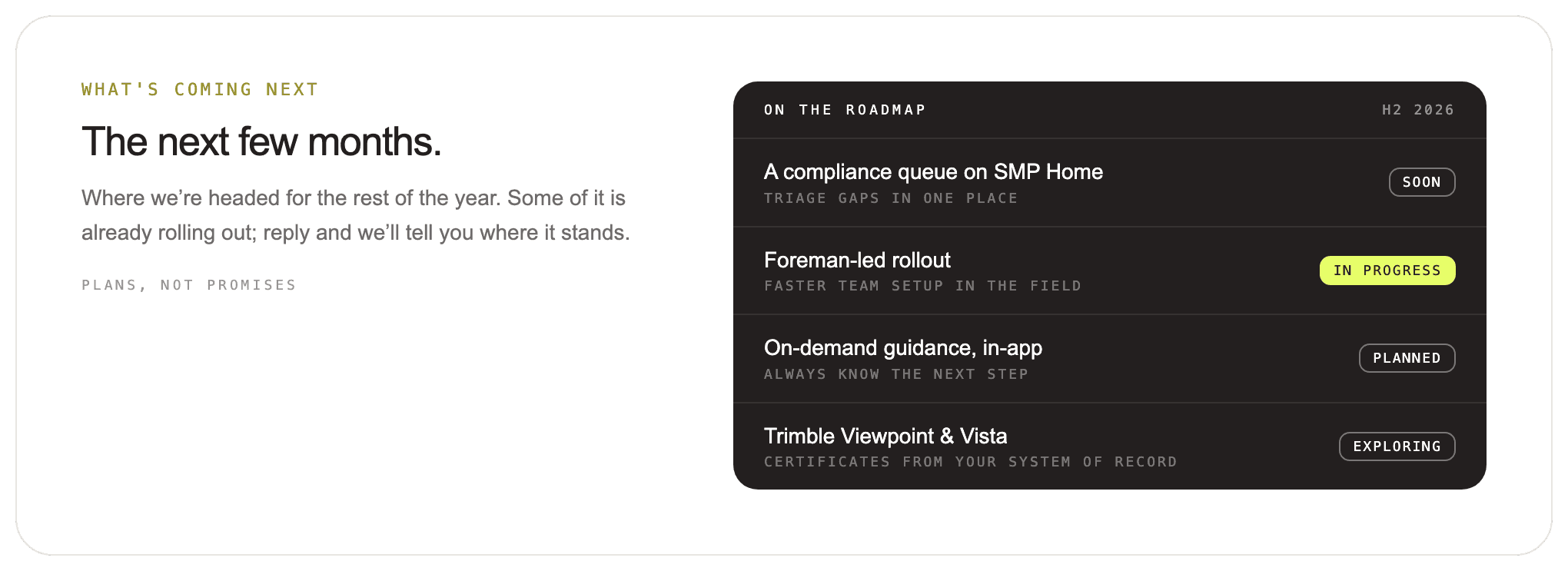
Here's where we're headed for the rest of the year. A couple of these are already rolling out; the rest are in progress or still being explored. These are plans, not promises, and dates can move.
A compliance queue on SMP Home. We're rebuilding the SMP home screen around a ranked, one-click queue of what needs attention: expiring documents, overdue inspections, missing role requirements. Triage in a minute, not a spreadsheet.
Foreman-led rollout. A setup path where an admin adds foremen and crews, and the foreman handles the linking in the field. Less central admin, faster activation.
On-demand guidance, in-app. Contextual help inside each feature, so you always know the next step.
Trimble Viewpoint and Vista. We're exploring a connector that pulls workforce and training records from your system of record and surfaces them at the point of scan. Several of you have asked for this directly.
Want a say in any of these? Book a 20-minute walkthrough with our Customer Success.
Follow Twiceme on socials