Get Started
To get started, download the free Twiceme app and connect it to your Twiceme-enhanced equipment.
Get the Twiceme app
Set up your gear and manage your Twiceme profile in seconds.


Get Started
To get started, download the free Twiceme app and connect it to your Twiceme-enhanced equipment.
Get the Twiceme app
Set up your gear and manage your Twiceme profile in seconds.
How Twiceme works
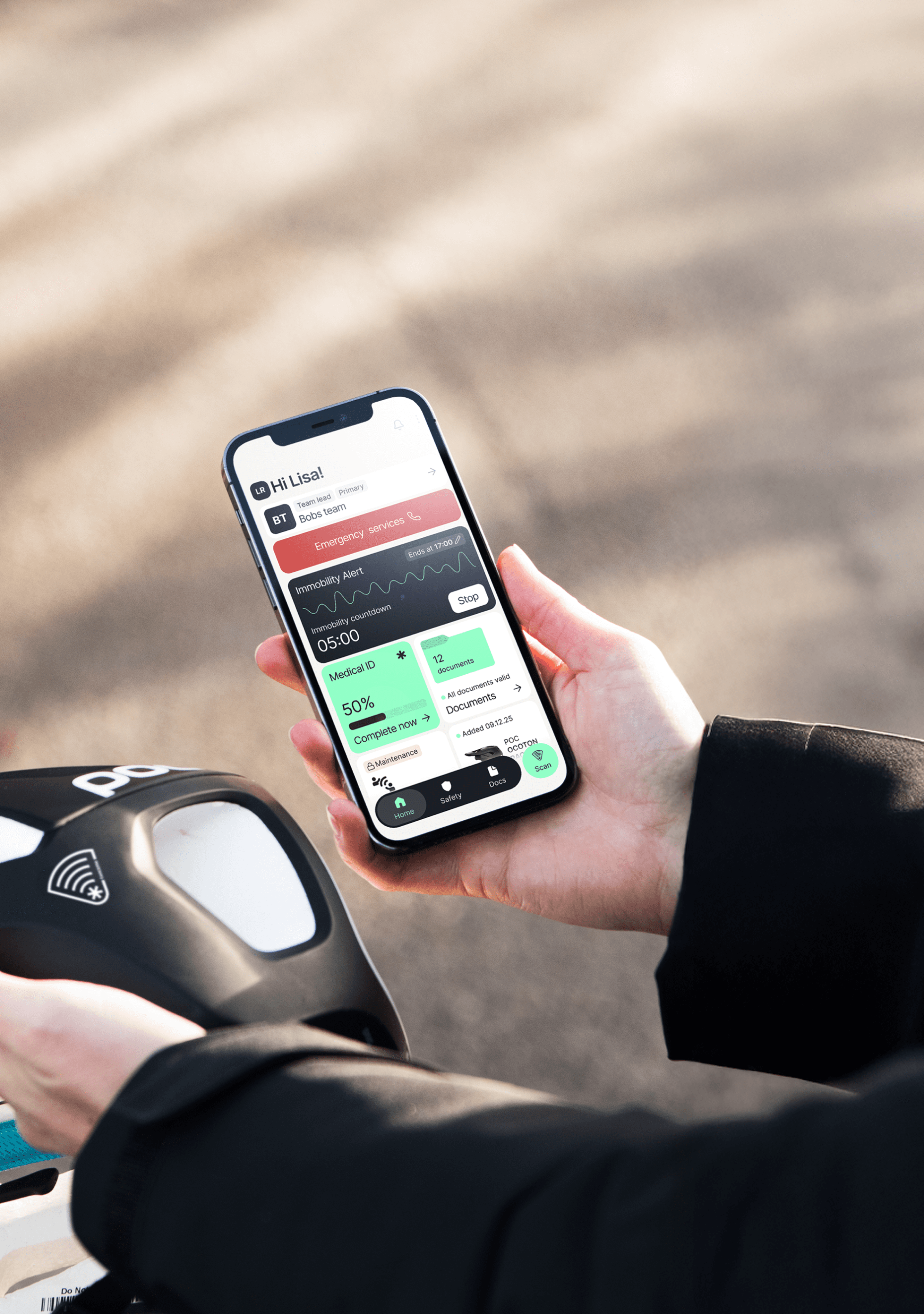
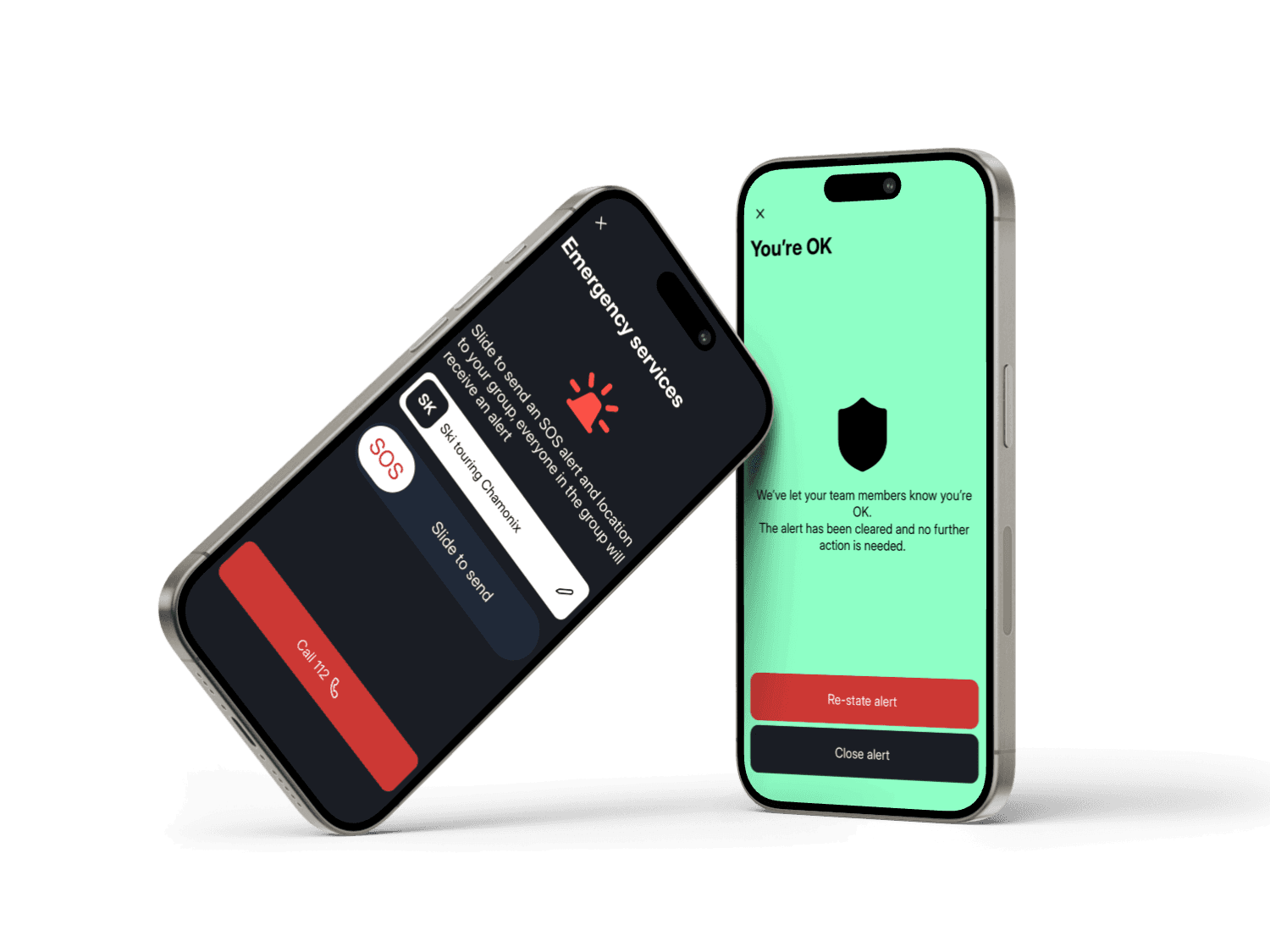
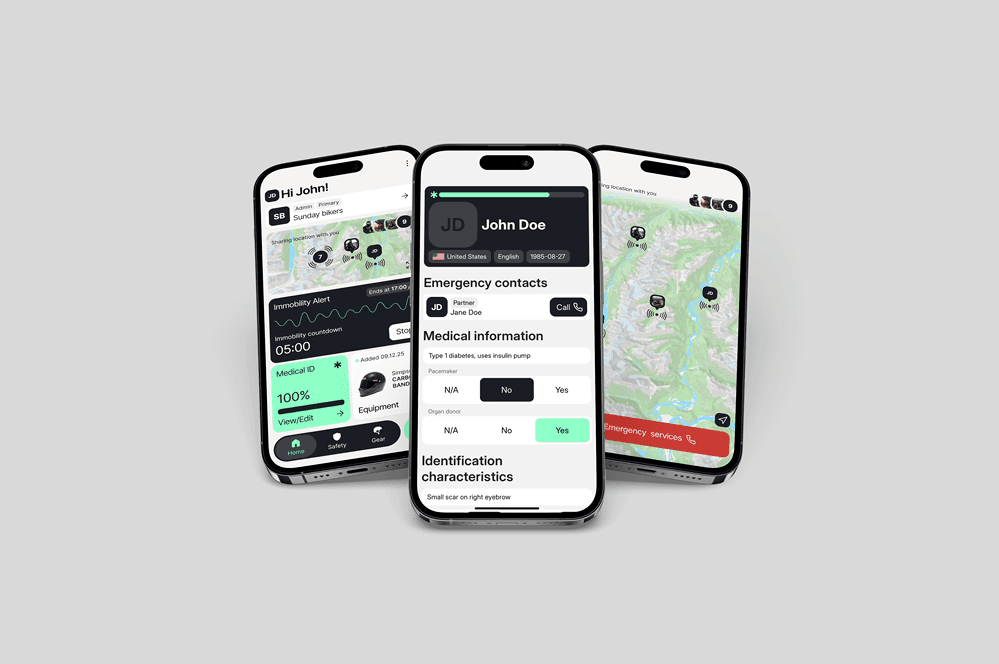
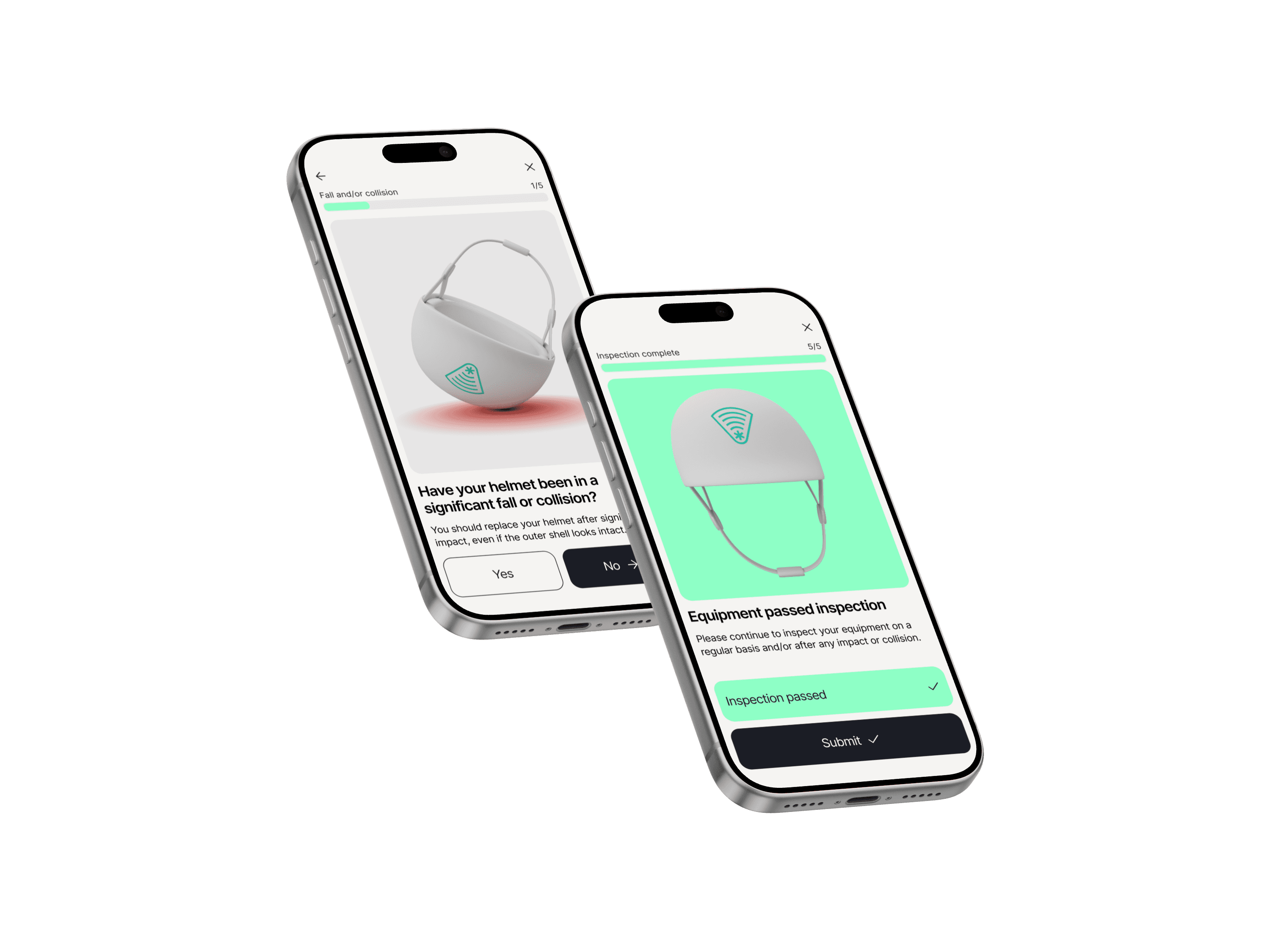
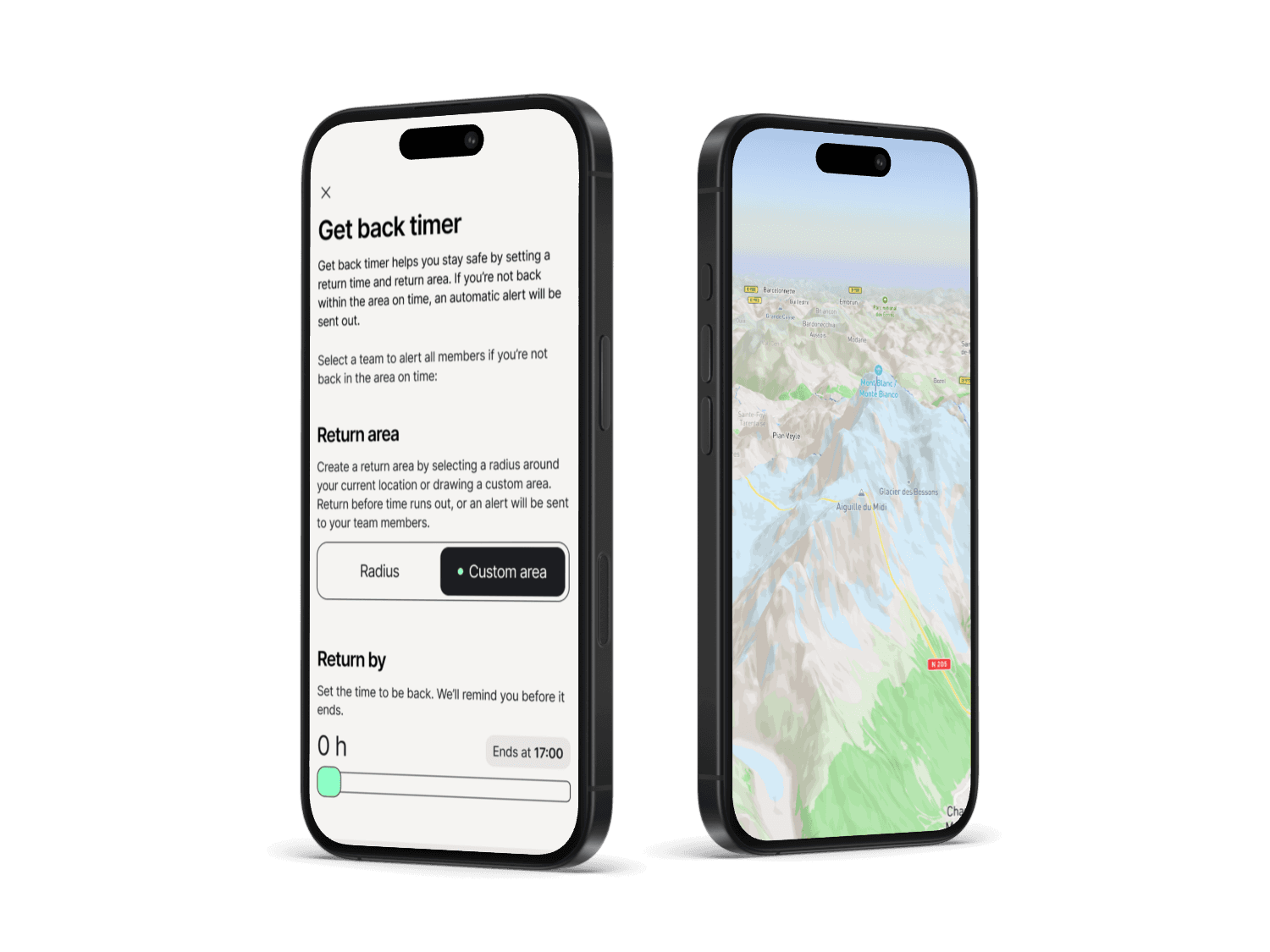
Twiceme connects your equipment to your smartphone, so your vital information is always close at hand. Store critical medical details in the gear itself, check equipment status, and share essential info fast when it matters most. In the free Twiceme app, you can set up your Medical ID and access safety tools like Emergency Services, Immobility Alert, Get Back Timer, and Share Location helping others reach you quicker.
equipment
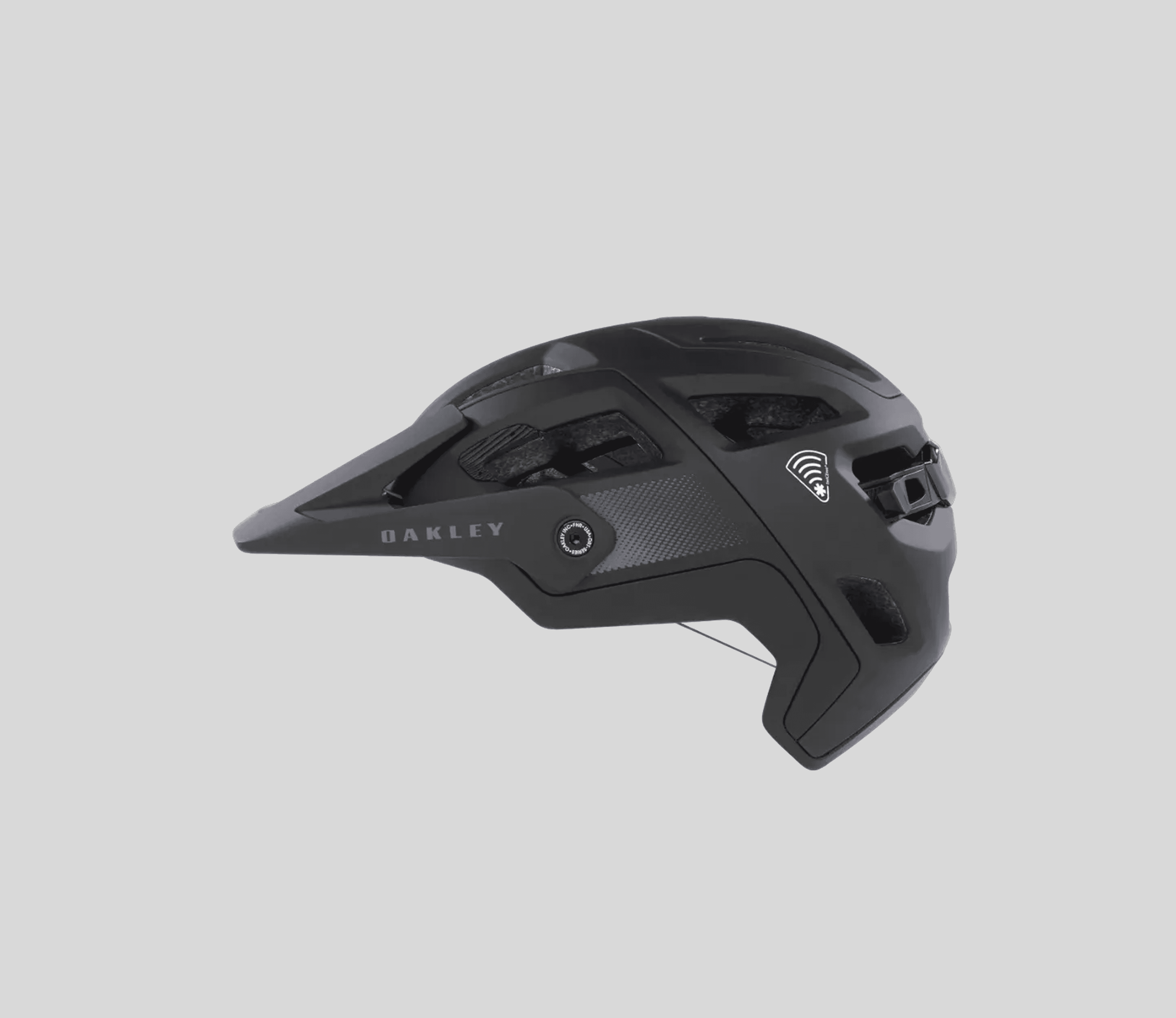
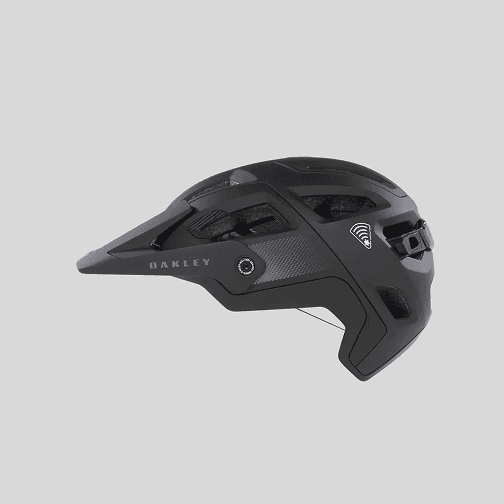
We integrate high-performance, non-battery hardware based on Near Field Communication (NFC) into world-leading equipment such as helmets, apparel, goggles, and backpacks so vital information is accessible when it matters most.
nfc
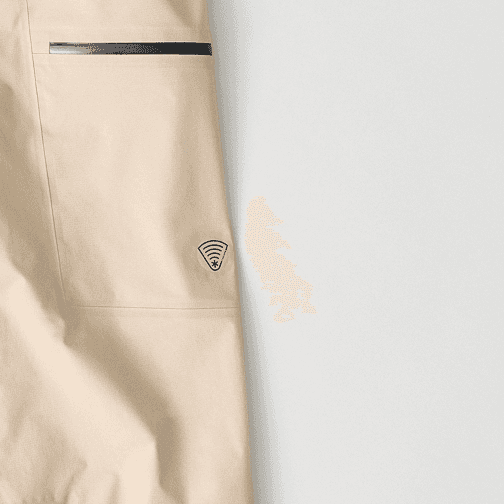
The integrated hardware is placed directly below the functional symbol on the equipment. It uses the same NFC technology as contactless payments. To scan, hold your smartphone’s NFC area over the symbol, within 1–2 inches / 1–3 cm.
app
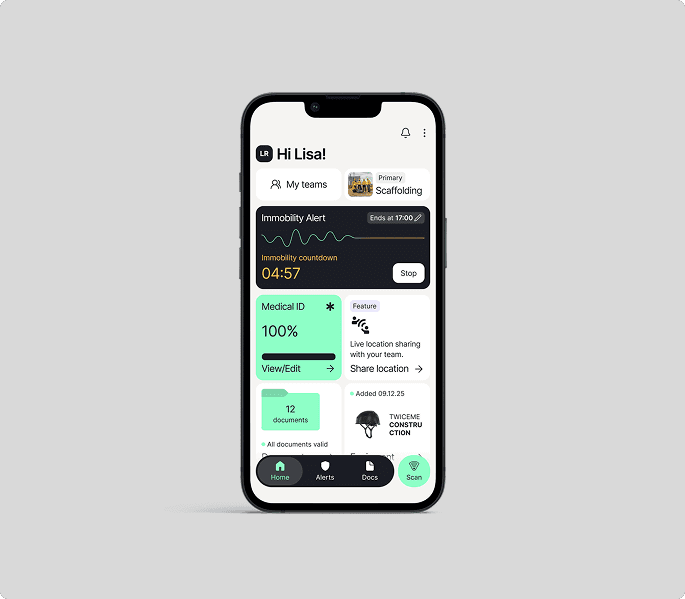
The free Twiceme app includes the groundbreaking features Immobility Alert, Share Location, and Get Back Timer, plus instant access to Medical ID and inspection info. Helping users stay connected and get help faster.
How to activate your equipment with Twiceme
Our technology is integrated into a wide range of equipment and is designed to both help prevent accidents and provide support in emergency situations. Simply install the free Twiceme app and connect it to your equipment to get started.
Step 1
Download the app and create your medical ID.
Step 2
Select and add the equipment you wish to activate in the app.
Step 3
Press the upload button in the app to upload Medical ID by holding the scanning area of your smartphone directly on top of the functional symbol on your PPE equipment.
Step 4
Press the circular “Scan” button on the bottom right menu to activate the scanner. Then tap the phone on the equipment to access the locally stored information uploaded by the user.
How to activate your equipment with Twiceme
Our technology is integrated into a wide range of equipment and is designed to both help prevent accidents and provide support in emergency situations. Simply install the free Twiceme app and connect it to your equipment to get started.
Step 1
Download the app and create your medical ID.
Step 2
Select and add the equipment you wish to activate in the app.
Step 3
Press the upload button in the app to upload Medical ID by holding the scanning area of your smartphone directly on top of the functional symbol on your PPE equipment.
Step 4
Press the circular “Scan” button on the bottom right menu to activate the scanner. Then tap the phone on the equipment to access the locally stored information uploaded by the user.
How to activate your equipment with Twiceme
Our technology is integrated into a wide range of equipment and is designed to both help prevent accidents and provide support in emergency situations. Simply install the free Twiceme app and connect it to your equipment to get started.
Step 1
Download the app and create your medical ID.
Step 2
Select and add the equipment you wish to activate in the app.
Step 3
Press the upload button in the app to upload Medical ID by holding the scanning area of your smartphone directly on top of the functional symbol on your PPE equipment.
Step 4
Press the circular “Scan” button on the bottom right menu to activate the scanner. Then tap the phone on the equipment to access the locally stored information uploaded by the user.
How to activate your equipment with Twiceme
Our technology is integrated into a wide range of equipment and is designed to both help prevent accidents and provide support in emergency situations. Simply install the free Twiceme app and connect it to your equipment to get started.
Step 1
Download the app and create your medical ID.
Step 2
Select and add the equipment you wish to activate in the app.
Step 3
Press the upload button in the app to upload Medical ID by holding the scanning area of your smartphone directly on top of the functional symbol on your PPE equipment.
Step 4
Press the circular “Scan” button on the bottom right menu to activate the scanner. Then tap the phone on the equipment to access the locally stored information uploaded by the user.
DIGITAL SAFETY STANDARD
App Feature Suite
Medical ID
Emergency Services
Routine inspection
Share location
Immobility alert
Get back timer
DIGITAL SAFETY STANDARD
App Feature Suite
Medical ID
Emergency Services
Routine inspection
Share location
Immobility alert
Get back timer
DIGITAL SAFETY STANDARD
App Feature Suite
Medical ID
Emergency Services
Routine inspection
Share location
Immobility alert
Get back timer
DIGITAL SAFETY STANDARD
App Feature Suite
Medical ID
Emergency Services
Routine inspection
Share location
Immobility alert
Get back timer
Medical ID
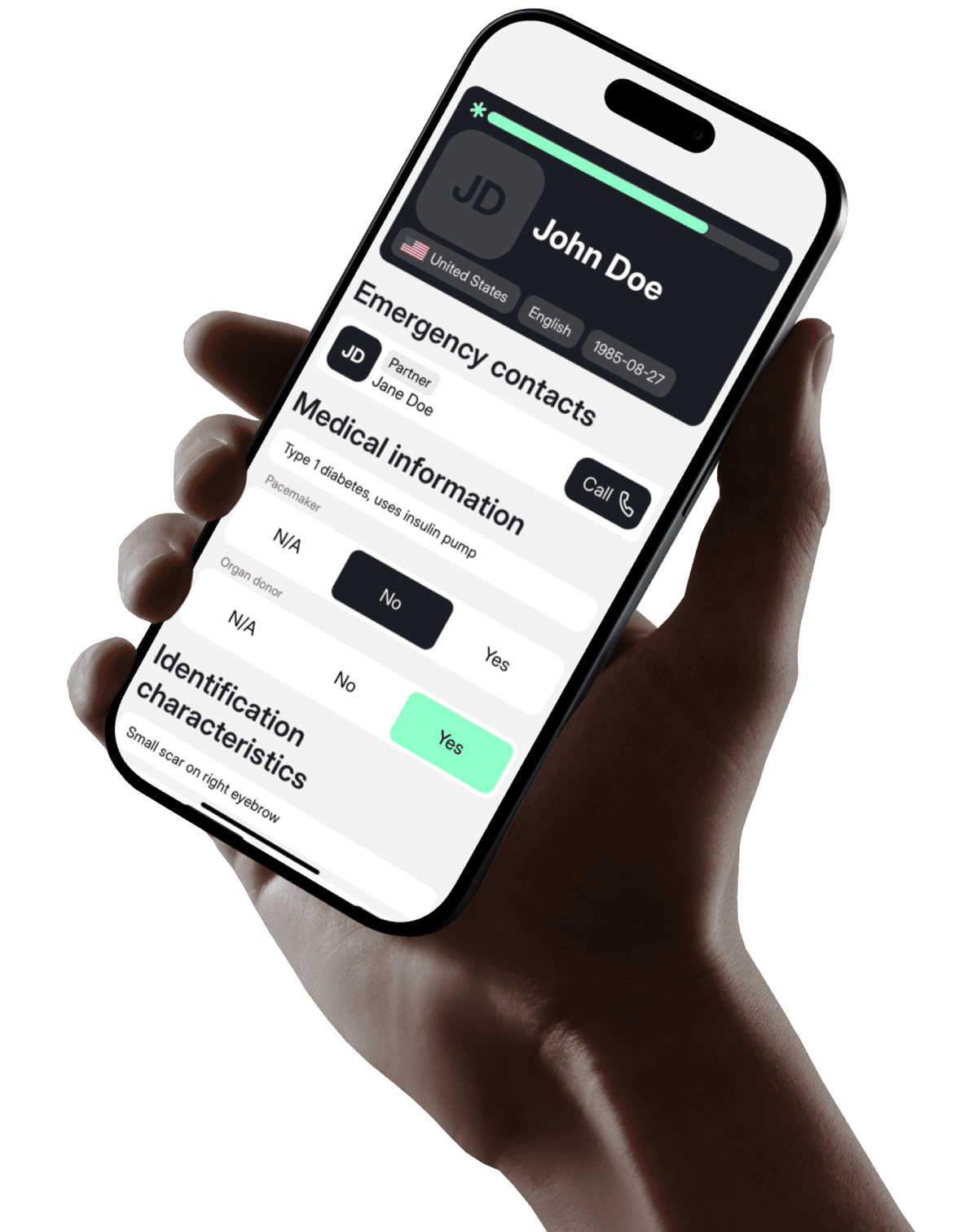
SHARE LOCATION
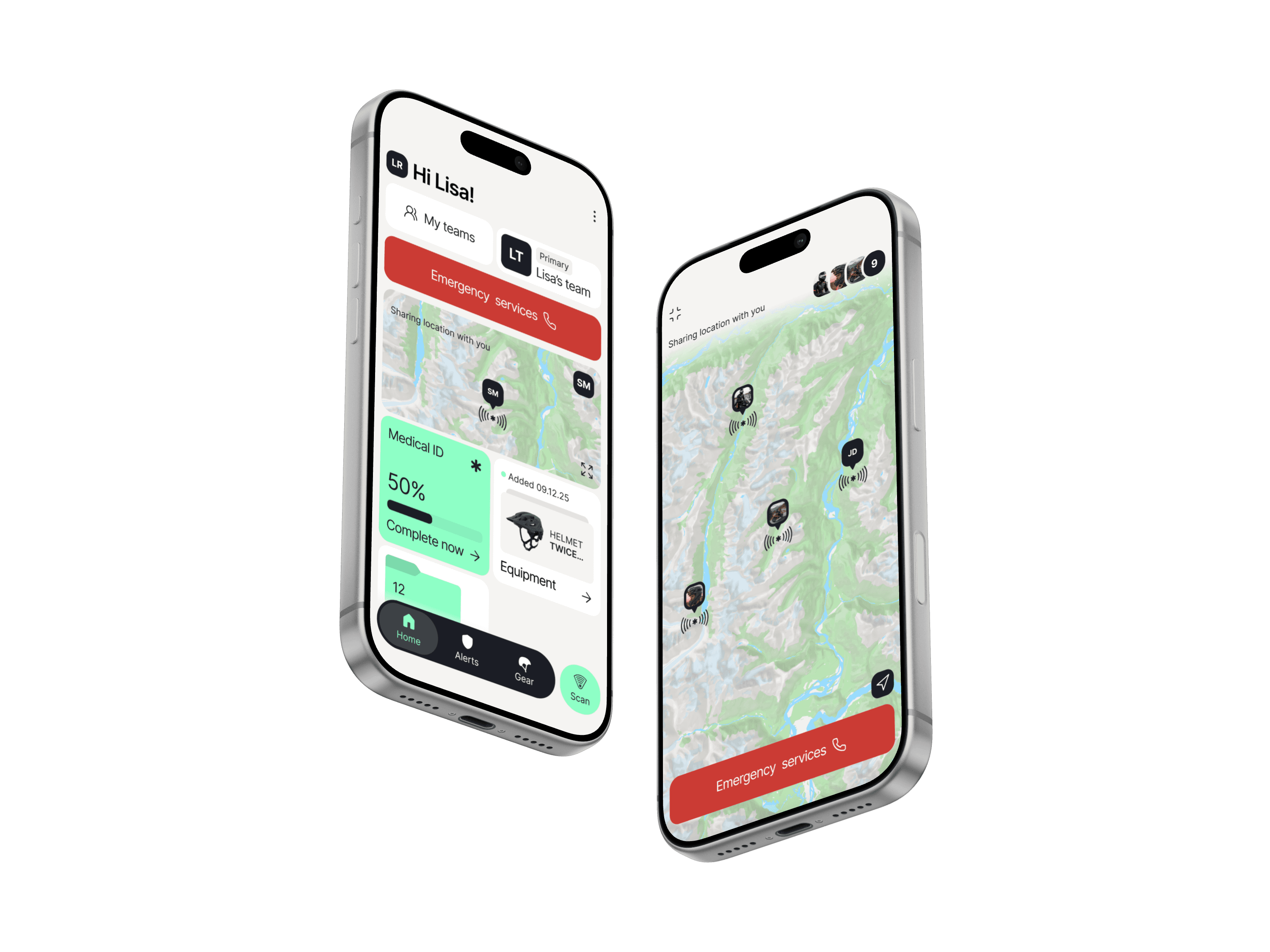
EMERGENCY SERVICES
IMMOBILITY ALERT
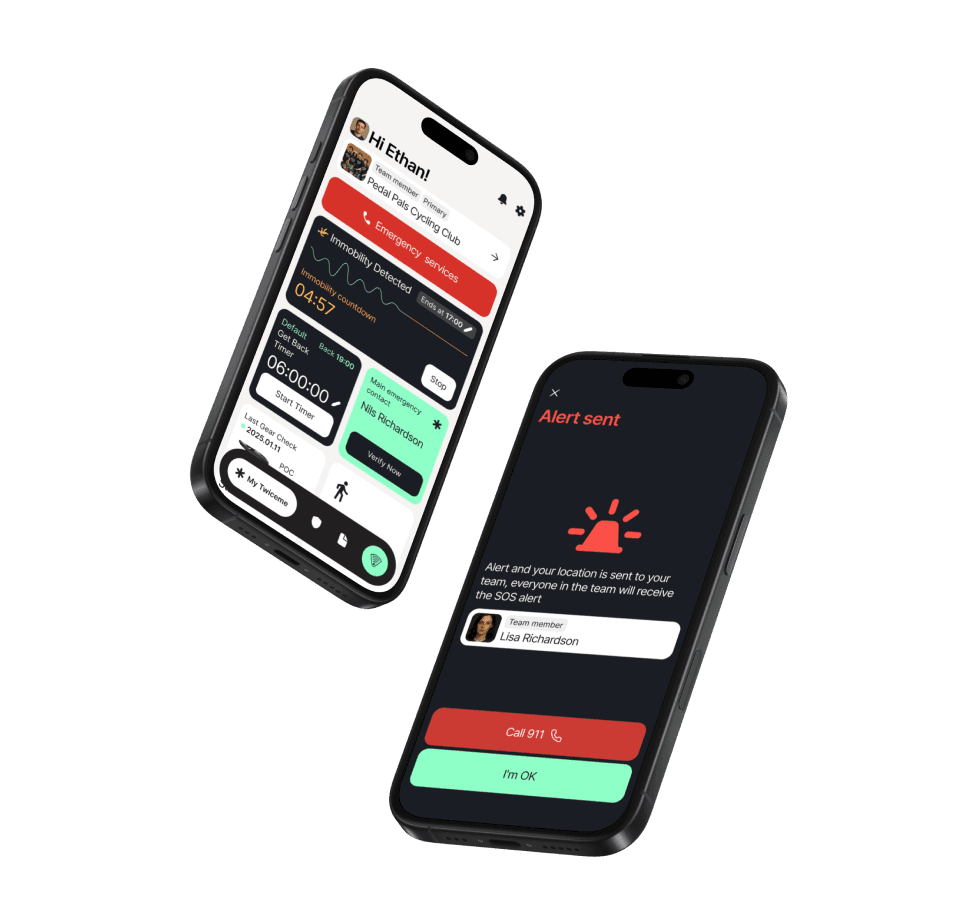
Routine inspections
GET BACK TIMER
Medical ID
EMERGENCY SERVICES
Routine inspections
SHARE LOCATION
IMMOBILITY ALERT
GET BACK TIMER
Medical ID
Routine inspections
IMMOBILITY ALERT
EMERGENCY SERVICES
SHARE LOCATION
GET BACK TIMER
Get the Twiceme app
Set up your gear and manage your Twiceme profile in seconds.
Get the Twiceme app
Set up your gear and manage your Twiceme profile in seconds.

Our mission
Reduce complexity to improve safety.
Complexity is the enemy of safety, which is why we dedicate ourselves to simplifying it — so you don’t have to.
Everything we create is designed to make staying safe as effortless and efficient as possible.
If it’s not easy to use, it’s not Twiceme.
Our mission
Reduce complexity to improve safety.
Complexity is the enemy of safety, which is why we dedicate ourselves to simplifying it — so you don’t have to.
Everything we create is designed to make staying safe as effortless and efficient as possible.
If it’s not easy to use, it’s not Twiceme.
Our mission
Reduce complexity to improve safety.
Complexity is the enemy of safety, which is why we dedicate ourselves to simplifying it — so you don’t have to.
Everything we create is designed to make staying safe as effortless and efficient as possible.
If it’s not easy to use, it’s not Twiceme.
Our mission
Reduce complexity to improve safety.
Complexity is the enemy of safety, which is why we dedicate ourselves to simplifying it — so you don’t have to.
Everything we create is designed to make staying safe as effortless and efficient as possible.
If it’s not easy to use, it’s not Twiceme.

DIGITAL SAFETY STANDARD
Become a Beta Tester
Early access to new features
Influence the direction of the app
Be part of a exclusive community
DIGITAL SAFETY STANDARD
Become a Beta Tester
Early access to new features
Influence the direction of the app
Be part of a exclusive community
DIGITAL SAFETY STANDARD
Become a Beta Tester
Early access to new features
Influence the direction of the app
Be part of a exclusive community
DIGITAL SAFETY STANDARD
Become a Beta Tester
Early access to new features
Influence the direction of the app
Be part of a exclusive community
Medical ID
EMERGENCY SERVICES
Routine inspections
SHARE LOCATION
IMMOBILITY ALERT
GET BACK TIMER
FAQ
How do I scan the Twiceme equipment?
How is my Medical ID data managed?
What does it cost?
Do I need to create an account?
Can I switch between user categories?
Get Support
Contact us
In order to support you the best way possible, please fill in all requested information as stated in this form. We strive to respond within 24 hours.
info@twiceme.com
info@twiceme.com
Contact us
In order to support you the best way possible, please fill in all requested information as stated in this form. We strive to respond within 24 hours.
info@twiceme.com
info@twiceme.com
Contact us
In order to support you the best way possible, please fill in all requested information as stated in this form. We strive to respond within 24 hours.
info@twiceme.com
info@twiceme.com
Contact us
In order to support you the best way possible, please fill in all requested information as stated in this form. We strive to respond within 24 hours.
info@twiceme.com
info@twiceme.com
Pro section
Resources
© 2026 Twiceme Technology AB. All rights reserved.
© 2026 Twiceme Technology AB. All rights reserved.
Resources
Pro section
Resources
© 2026 Twiceme Technology AB.
All rights reserved.
© 2026 Twiceme Technology AB. All rights reserved.
Resources