Get Started
To get started, download the free Twiceme app and connect it to your Twiceme-enhanced equipment.
Get the Twiceme app
Set up your gear and manage your Twiceme profile in seconds.


Get Started
To get started, download the free Twiceme app and connect it to your Twiceme-enhanced equipment.
Get the Twiceme app
Set up your gear and manage your Twiceme profile in seconds.
How to activate your equipment with Twiceme
Our technology is integrated into a wide range of equipment and is designed to both help prevent accidents and provide support in emergency situations. Simply install the free Twiceme app and connect it to your equipment to get started.
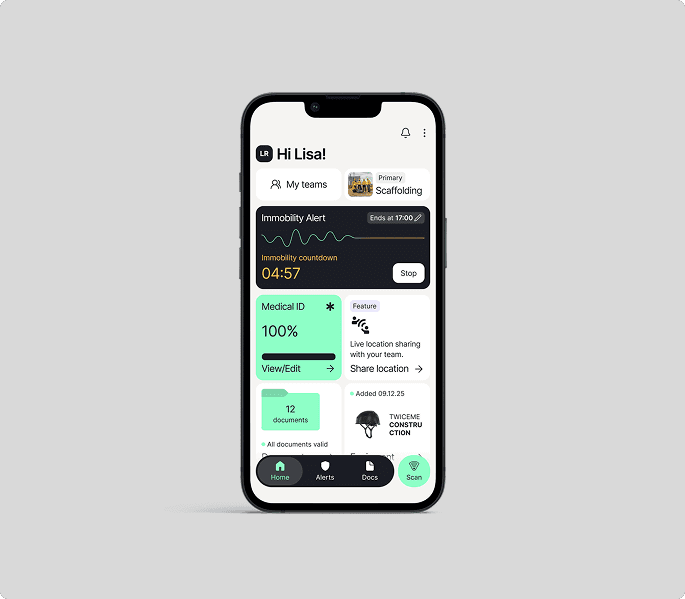
Step 1
Click “Let’s Get Started” then click “I will use Twiceme for my work or rescue operation”.
Then click “Join a team I’m a part of”. Read the user agreement and accept.
Step 2
Sign in or create an account using the work email associated with your company.
Choose your workspace/teams or set up a new workspace/teams.
Step 3
Input your Medical ID information as prompted.
Upload your Medical ID to your equipment by clicking on the green “upload to equipment” button.
Step 4
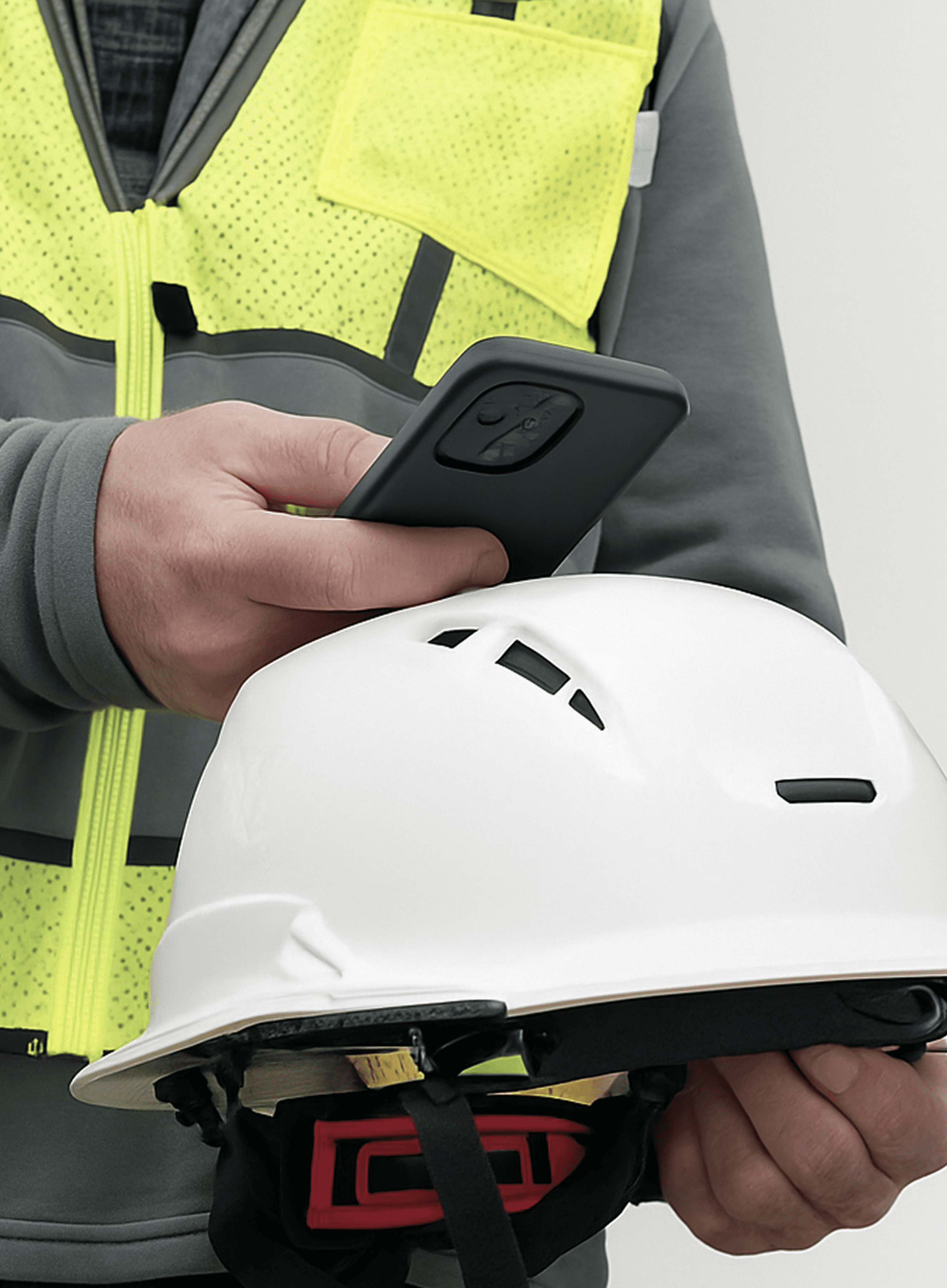
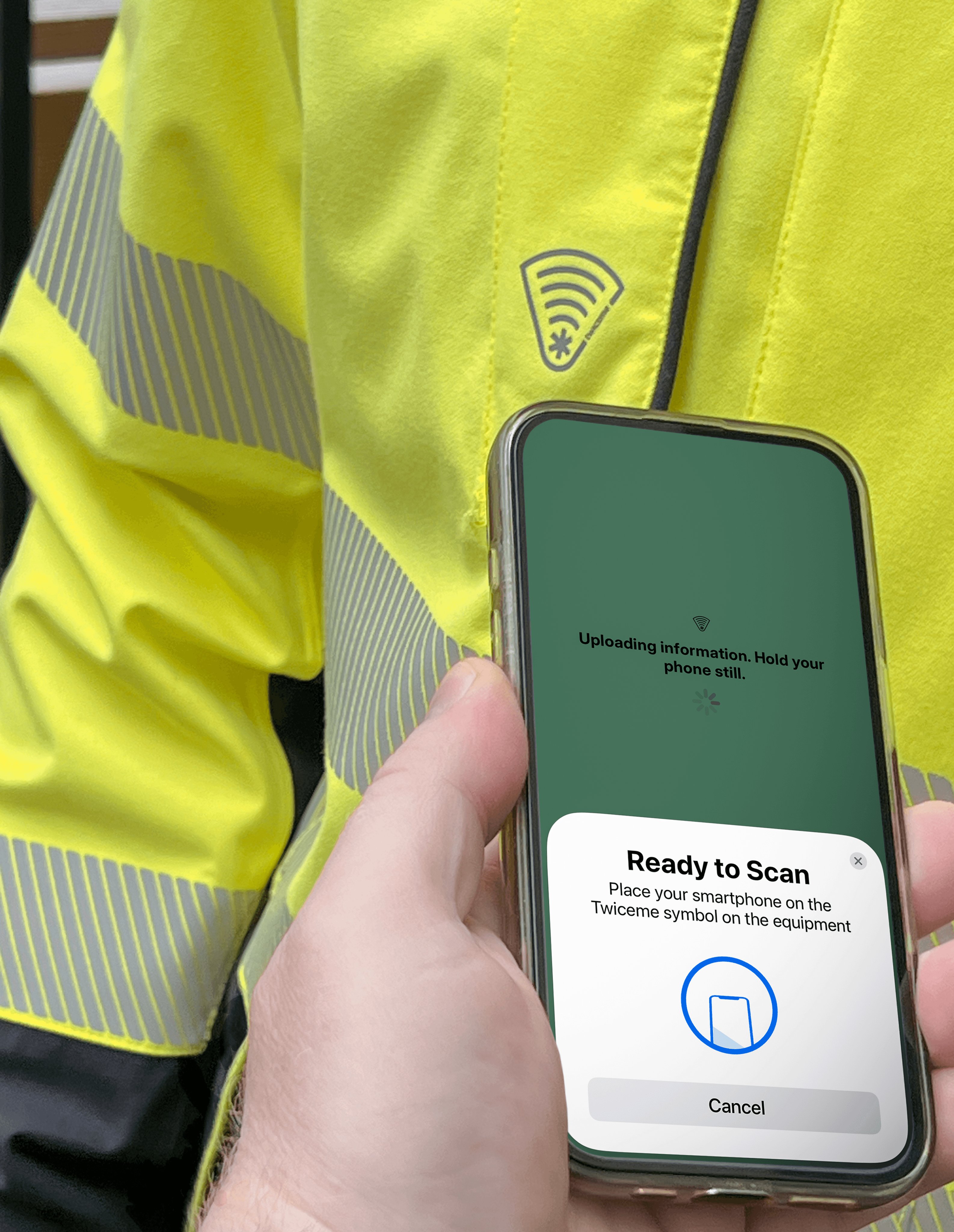
When you see “Ready to Scan”, hold your phone over the Twiceme symbol on your equipment and wait for the phone to read it.
Providing a sound or vibration to notify. When the phone and the unit sync, the screen will turn green.
Step 5
Register your Personal Protective Equipment (PPE) by choosing the brand and model.
Upload your Medical ID to the equipment by clicking the “Upload to Equipment” button.
Step 6
Once your equipment is registered, scroll down to turn on “Link all documents to this equipment” and “Share with your workspace & teams”.
How to activate your equipment with Twiceme
Our technology is integrated into a wide range of equipment and is designed to both help prevent accidents and provide support in emergency situations. Simply install the free Twiceme app and connect it to your equipment to get started.
Step 1
Click “Let’s Get Started” then click “I will use Twiceme for my work or rescue operation”.
Then click “Join a team I’m a part of”. Read the user agreement and accept.
Step 2
Sign in or create an account using the work email associated with your company.
Choose your workspace/teams or set up a new workspace/teams.
Step 3
Input your Medical ID information as prompted.
Upload your Medical ID to your equipment by clicking on the green “upload to equipment” button.
Step 4
When you see “Ready to Scan”, hold your phone over the Twiceme symbol on your equipment and wait for the phone to read it.
Providing a sound or vibration to notify. When the phone and the unit sync, the screen will turn green.
Step 5
Register your Personal Protective Equipment (PPE) by choosing the brand and model.
Upload your Medical ID to the equipment by clicking the “Upload to Equipment” button.
Step 6
Once your equipment is registered, scroll down to turn on “Link all documents to this equipment” and “Share with your workspace & teams”.
How to activate your equipment with Twiceme
Our technology is integrated into a wide range of equipment and is designed to both help prevent accidents and provide support in emergency situations. Simply install the free Twiceme app and connect it to your equipment to get started.
Step 1
Click “Let’s Get Started” then click “I will use Twiceme for my work or rescue operation”.
Then click “Join a team I’m a part of”. Read the user agreement and accept.
Step 2
Sign in or create an account using the work email associated with your company.
Choose your workspace/teams or set up a new workspace/teams.
Step 3
Input your Medical ID information as prompted.
Upload your Medical ID to your equipment by clicking on the green “upload to equipment” button.
Step 4
When you see “Ready to Scan”, hold your phone over the Twiceme symbol on your equipment and wait for the phone to read it.
Providing a sound or vibration to notify. When the phone and the unit sync, the screen will turn green.
Step 5
Register your Personal Protective Equipment (PPE) by choosing the brand and model.
Upload your Medical ID to the equipment by clicking the “Upload to Equipment” button.
Step 6
Once your equipment is registered, scroll down to turn on “Link all documents to this equipment” and “Share with your workspace & teams”.
How to activate your equipment with Twiceme
Our technology is integrated into a wide range of equipment and is designed to both help prevent accidents and provide support in emergency situations. Simply install the free Twiceme app and connect it to your equipment to get started.
Step 1
Click “Let’s Get Started” then click “I will use Twiceme for my work or rescue operation”.
Then click “Join a team I’m a part of”. Read the user agreement and accept.
Step 2
Sign in or create an account using the work email associated with your company.
Choose your workspace/teams or set up a new workspace/teams.
Step 3
Input your Medical ID information as prompted.
Upload your Medical ID to your equipment by clicking on the green “upload to equipment” button.
Step 4
When you see “Ready to Scan”, hold your phone over the Twiceme symbol on your equipment and wait for the phone to read it.
Providing a sound or vibration to notify. When the phone and the unit sync, the screen will turn green.
Step 5
Register your Personal Protective Equipment (PPE) by choosing the brand and model.
Upload your Medical ID to the equipment by clicking the “Upload to Equipment” button.
Step 6
Once your equipment is registered, scroll down to turn on “Link all documents to this equipment” and “Share with your workspace & teams”.
Get audit-ready with Twiceme Safety Management Portal (SMP).
Explore our award-winning Safety Management Portal (SMP) for organizations, which enables safety personnel to streamline safety and compliance.
LEARN MORE ABOUT SMP
Get audit-ready with Twiceme Safety Management Portal (SMP).
Explore our award-winning Safety Management Portal (SMP) for organizations, which enables safety personnel to streamline safety and compliance.
LEARN MORE ABOUT SMP
Get audit-ready with Twiceme Safety Management Portal (SMP).
Explore our award-winning Safety Management Portal (SMP) for organizations, which enables safety personnel to streamline safety and compliance.
LEARN MORE ABOUT SMP
Get audit-ready with Twiceme Safety Management Portal (SMP).
Explore our award-winning Safety Management Portal (SMP) for organizations, which enables safety personnel to streamline safety and compliance.
LEARN MORE ABOUT SMP
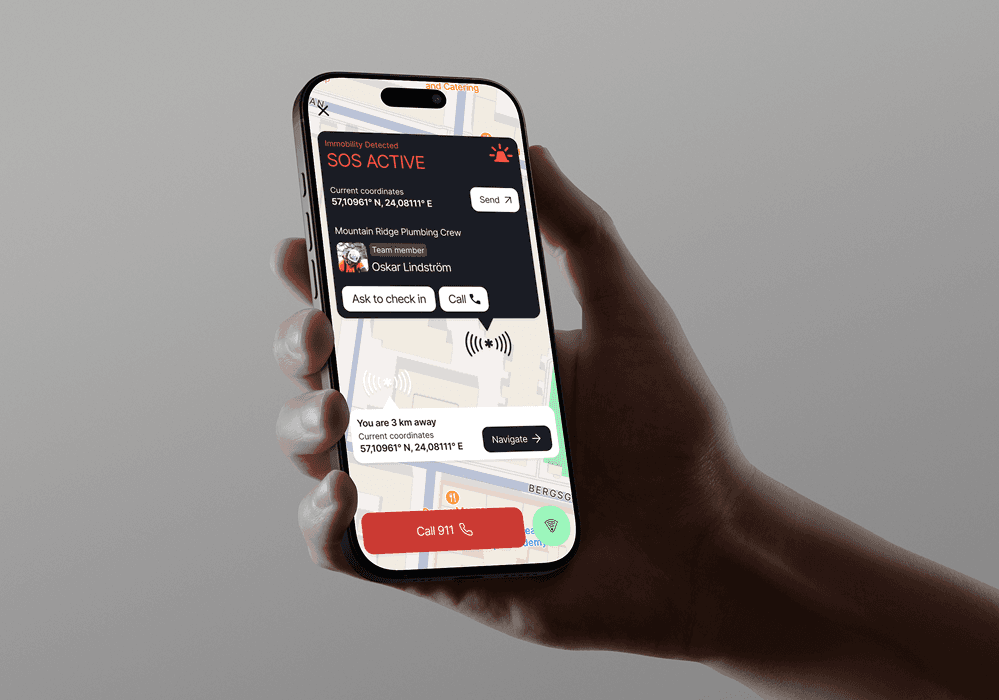
DIGITAL SAFETY STANDARD
App Feature Suite
Work documents
Certified inspection
Medical ID
Routine inspection
Immobility alert
Share location
Get back timer
DIGITAL SAFETY STANDARD
App Feature Suite
Work documents
Certified inspection
Medical ID
Routine inspection
Immobility alert
Share location
Get back timer
DIGITAL SAFETY STANDARD
App Feature Suite
Work documents
Certified inspection
Medical ID
Routine inspection
Immobility alert
Share location
Get back timer
DIGITAL SAFETY STANDARD
App Feature Suite
Work documents
Certified inspection
Medical ID
Routine inspection
Immobility alert
Share location
Get back timer
Our mission
Reduce complexity to improve safety.
Complexity is the enemy of safety, which is why we dedicate ourselves to simplifying it — so you don’t have to.
Everything we create is designed to make staying safe as effortless and efficient as possible.
If it’s not easy to use, it’s not Twiceme.
Our mission
Reduce complexity to improve safety.
Complexity is the enemy of safety, which is why we dedicate ourselves to simplifying it — so you don’t have to.
Everything we create is designed to make staying safe as effortless and efficient as possible.
If it’s not easy to use, it’s not Twiceme.
Our mission
Reduce complexity to improve safety.
Complexity is the enemy of safety, which is why we dedicate ourselves to simplifying it — so you don’t have to.
Everything we create is designed to make staying safe as effortless and efficient as possible.
If it’s not easy to use, it’s not Twiceme.
Our mission
Reduce complexity to improve safety.
Complexity is the enemy of safety, which is why we dedicate ourselves to simplifying it — so you don’t have to.
Everything we create is designed to make staying safe as effortless and efficient as possible.
If it’s not easy to use, it’s not Twiceme.
DIGITAL SAFETY STANDARD
Safety Management Portal (SMP)
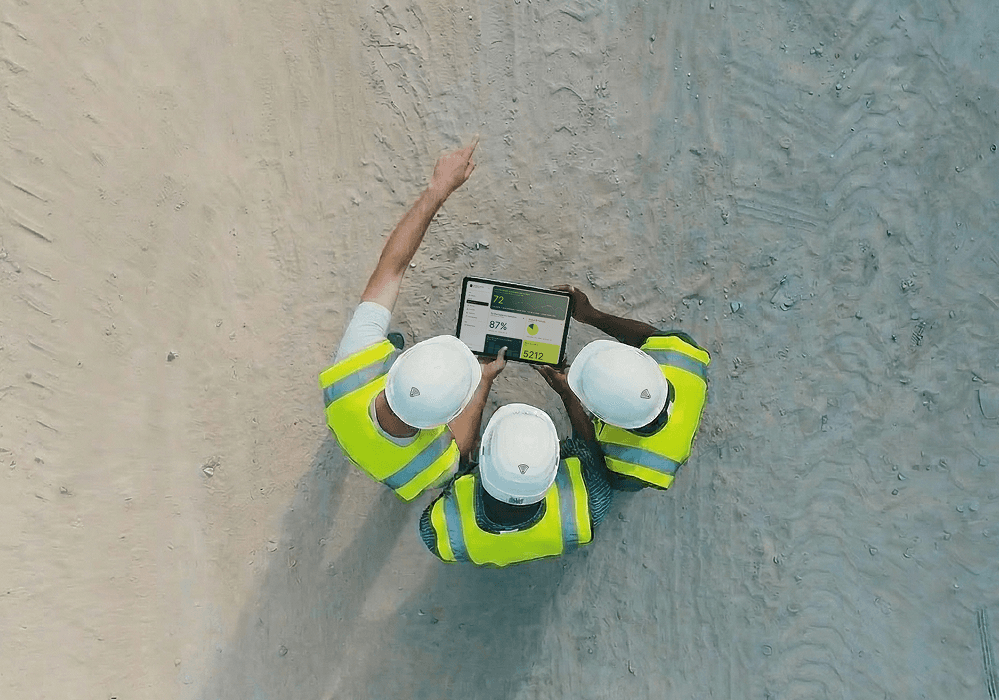
The Safety Management Portal (SMP) helps you stay audit-ready. Track helmet inspections, manage Medical IDs, and monitor training certifications-all in one intuitive platform.
DIGITAL SAFETY STANDARD
Safety Management Portal (SMP)
We are actively informing and collaborating with over 400 rescue organizations worldwide such as ICAR, FIPS, NSP, AMGA, and NSAA with the goal to continuously educate ski and bike patrollers in how to use Twiceme.
Our work supports patrollers by giving users a faster and more reliable way to reach them in emergencies.
DIGITAL SAFETY STANDARD
Safety Management Portal (SMP)
We are actively informing and collaborating with over 400 rescue organizations worldwide such as ICAR, FIPS, NSP, AMGA, and NSAA with the goal to continuously educate ski and bike patrollers in how to use Twiceme.
Our work supports patrollers by giving users a faster and more reliable way to reach them in emergencies.
DIGITAL SAFETY STANDARD
Safety Management Portal (SMP)
The Safety Management Portal (SMP) helps you stay audit-ready. Track helmet inspections, manage Medical IDs, and monitor training certifications-all in one intuitive platform.
FAQ
How do I scan the Twiceme equipment?
What are the benefits with the app?
What are the benefits with the SMP?
How is the Medical ID data managed?
What does it cost?
Get support
Contact us
In order to support you the best way possible, please fill in all requested information as stated in this form. We strive to respond within 24 hours.
info@twiceme.com
info@twiceme.com
Contact us
In order to support you the best way possible, please fill in all requested information as stated in this form. We strive to respond within 24 hours.
info@twiceme.com
info@twiceme.com
Contact us
In order to support you the best way possible, please fill in all requested information as stated in this form. We strive to respond within 24 hours.
info@twiceme.com
info@twiceme.com
Contact us
In order to support you the best way possible, please fill in all requested information as stated in this form. We strive to respond within 24 hours.
info@twiceme.com
info@twiceme.com
Resources
© 2026 Twiceme Technology AB. All rights reserved.
© 2026 Twiceme Technology AB. All rights reserved.
Resources
Resources
© 2026 Twiceme Technology AB.
All rights reserved.
© 2026 Twiceme Technology AB. All rights reserved.